Home > Working with Planning Projects > Building an Application > Building Application Models > Building A Transaction Model > Defining Field Format & Access
Defining Field Format & Access
Last Updated 3/1/2012 11:53 PM
You can specify the Format or Access for each field of the transaction model.
Each Numeric & String Datatype have a different Format setup.
Numeric Data Type Field (Integer, Value, Numeric Lookup, Numeric Expression) Field Format :
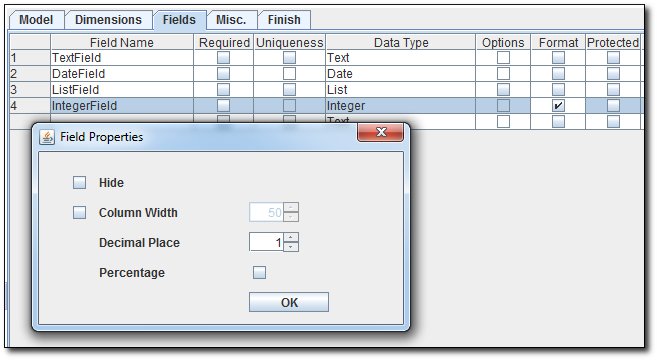
- Hide - To hide the field from the input view
- Column Width - To specify the default column width for the field
- Decimal Place - To specify the decimal place for the number
- Percentage - To specify whether the field is a percentage value
String Data Type Field (Text, Date, List, String Lookup, String Expression, Record Creation Date, Record Modification Date) Field Format :
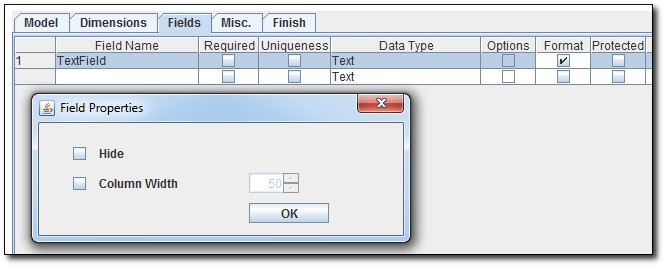
- Hide - To hide the field from the input view
- Column Width - To specify the default column width for the field
See also
| 


 Page URL: