Home > Working with Planning Projects > Building an Application > Building Application Models > Building A Transaction Model > Miscellaneous
Miscellaneous
Last Updated 3/8/2012 1:29 AM
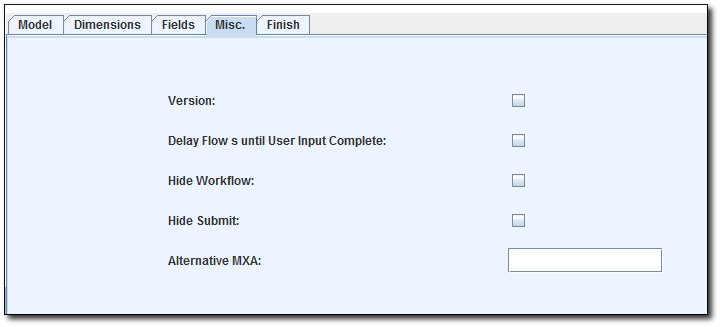
The Miscellaneous tab (Misc.) allows :
- the Versions dimensions to be included or excluded from the model.
- Delay Flow data until User Input complete
- hide workflow
- hide submit button
- specify the alternative input form for the transaction (using mxa script)
Select the tab labelled 'Misc.' to change these settings.
Excluding the Version Dimension
By default, the Versions dimension will be applied to a model unless you specify otherwise. If you un-check the Versions option, this model will not have a Versions dimension.
Delay Flow's until User Input Complete
If you want to delay the Data Link to run after all the data has been inputted in, you may enable this option. This will enable user to input data for all the dimension member , without having to wait the Linkage to be completed. By Default, every data saving will be linked to the cube model (if there's any Link from the transaction model).
Hide Workflow
To hide the model's workflow from the workflow section, we can set the option to hide it.
Hide Submit button
To hide the Submit button from the Input Grid, we can set the option to hide it. The purpose for this option, is if we don't want user to mistakenly click on the Submit button on the Input Grid
Alternative Input Grid
If we have an alternative input form, rather than the default Java Applet Grid, we can specify the input form script here. Once the alternative input form is specified, user won't be able to see the default Input Grid.
See also
| 


 Page URL: