Home > Working with Planning Projects > Building an Application > Building Application Models > Building A Cube Model > Finishing The Model
Finishing The Model
Last Updated 5/28/2012 5:08 PM
Now we are ready to complete the final stage of building our model.
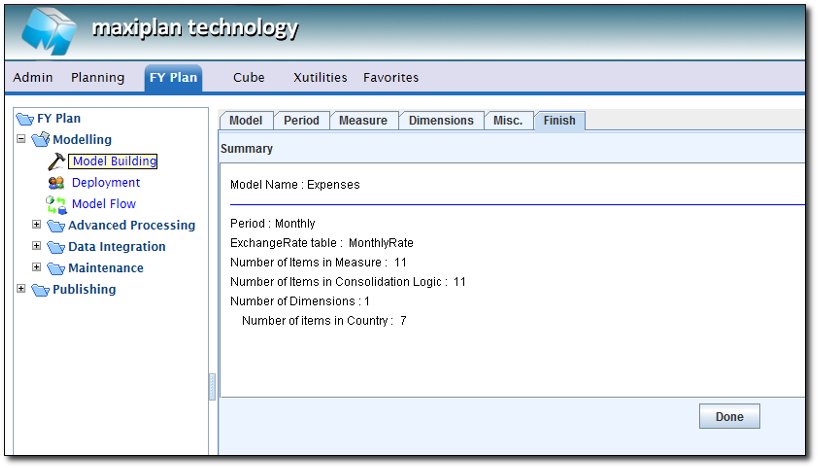
Click on the Finish tab which will enable us to confirm the components of the model.
The display will show the details of the model, including Period Set used, Exchange Rate Table, number of Measures, number of Consolidated Measures, number of Dimensions and number of items in each Dimension.
TIP: If any part of the model is incomplete, it will be highlighted in red. Go back and correct the problem before selected DONE to complete the model.
Selecting  will cause Cascade to create the new model. will cause Cascade to create the new model.
You can now go to the [project name]>Data Models and you should see the new model listed.
As the creator of the model, you can now use the model. As a test, try entering data into the yellow input cells and examine the results.
See also
Basic Setup
Selecting a Period Set
Measure Settings
Dimension Settings
Miscellaneous
Advanced Features
| 


 Page URL: