Home > Reports and Scripting
Reports and Scripting
Last Updated 5/28/2012 9:24 PM
If the Reports option was checked when the project was created, this enables reporting within a project. Creating and amending reports is handled through the Publishing are of the project which can be accessed by selecting the Publishing folder in the project:
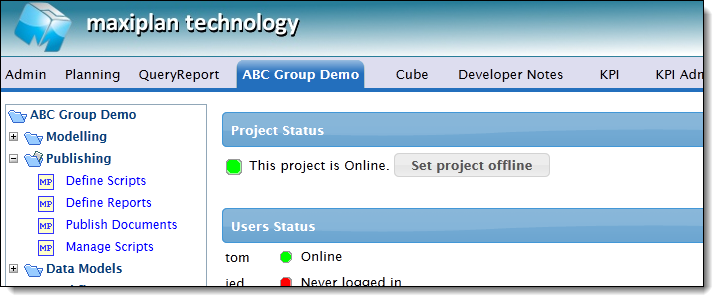
Publishing provides the following:-
Define Scripts
|
The Define Scripts option is used to create, edit and delete both report scripts and application scripts.
|
| Define Reports |
The Define Reports option provides a user friendly wizard to create reports. This wizard does not require any scripting knowledge and creates flexible reports that can easily be amended using the same wizard.
|
| Publish Documents |
Reports and scripts are published to the project using the Publish Documents function. |
| Manage Documents |
The Manage Documents function provides a file manager fro project related scripts and data files. It also incorporates upload facilities enabling externally created scripts to be uploaded to the project. |
See also
| 


 Page URL: